Professor Whiskers

imagescriptvoicevideolip sync3D worldedit

A message in the family chat: my daughter had to present the 1960 Valdivia earthquake at school the next day. My plan was a four-slide deck. Then I remembered I can do better, so I forked my personal UGC video pipeline and adapted it with Claude in 45 minutes. The result is a cat professor who explains the biggest earthquake ever measured, and a channel my daughter and I now grow together.
status
live on Instagram
format
16:9 episode · 9:16 reel
stack
Nano Banana 2.1 · Gemini Omni · Gemini TTS · Wav2Lip · three.js · HyperFrames
built with
Claude Code · Claude
cost
a few dollars a week, my own pocket
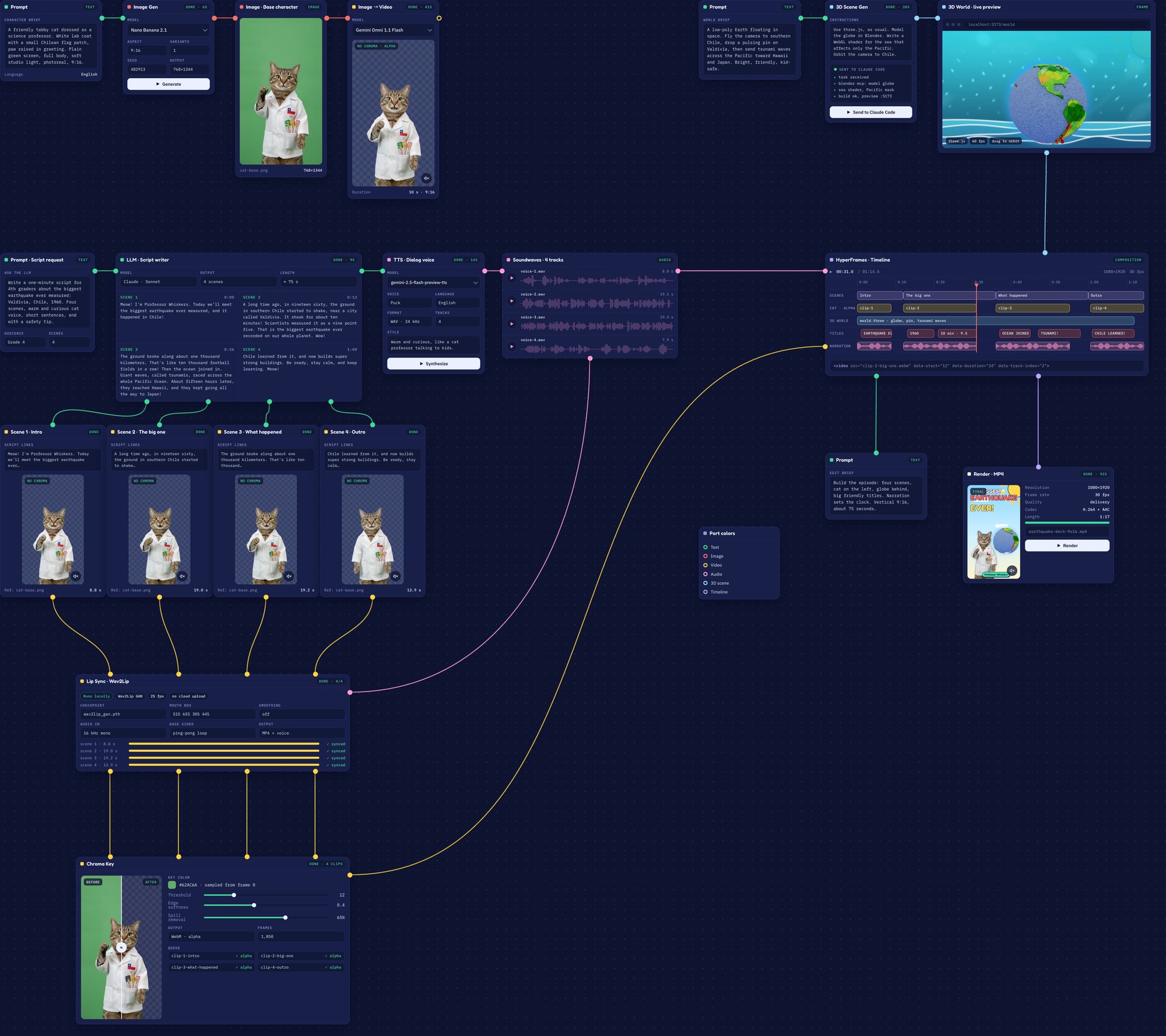
The whole Professor Whiskers pipeline on one canvas: image, script, voice, video, lip sync, 3D world, timeline and render
45minutes to fork and adapt my pipeline
4short takes, written for 4th graders
2refinements of the cat image: the treats and the flag
0uploads for lip sync and chroma: both run locally

From a chat message to a channel

The message

Late at night, in the family chat

My daughter had to present the 1960 Valdivia earthquake at school the next day. I told her I would make her a support piece to show on her school computer.

Plan A

A four-slide PPT

A simple deck, with an AI cat image here and there because she really likes cats.

Plan B

But I remembered I can do better

I forked my personal UGC video pipeline and adapted it with Claude in 45 minutes: a cat professor in a white coat, with cat treats in the pocket and a Chilean flag, who explains the biggest earthquake ever measured.

After school

She took it to school, and then it grew

I thought it looked nice, so I shared it, and someone suggested making a channel. I asked her, she said yes, and Professor Whiskers now lives on Instagram. She committed to helping me come up with the ideas for future episodes.

Eight steps, in the order I built them

Every step is a node on one canvas. The canvas is a concept view drawn over the real pieces, so I can show how the whole thing fits together.

01

Image

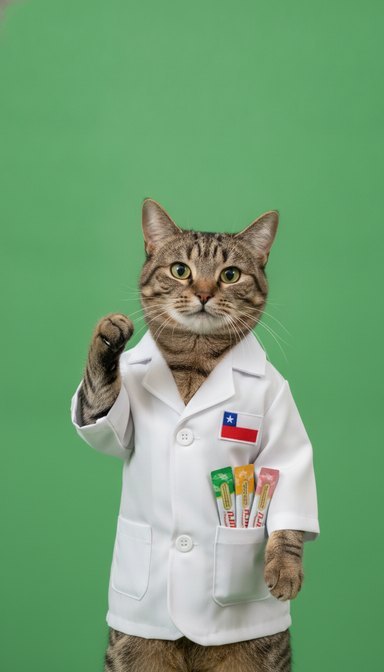
Nano Banana 2.1. The easiest cut. It took two refinements, first the cat treats in the pocket and then the Chilean flag, on a green background to cut it out.

02

Script

An LLM wrote four short takes for 4th graders, kept short and digestible.

03

Voice

Gemini TTS, voice Puck, one audio take per scene, shown as soundwaves on the canvas.

04

Video

Gemini Omni turns the base image into the moving cat.

05

Lip sync and chroma

Wav2Lip runs locally to match the mouth to the voice, and then the green is keyed out. Nothing leaves the machine.

06

3D world

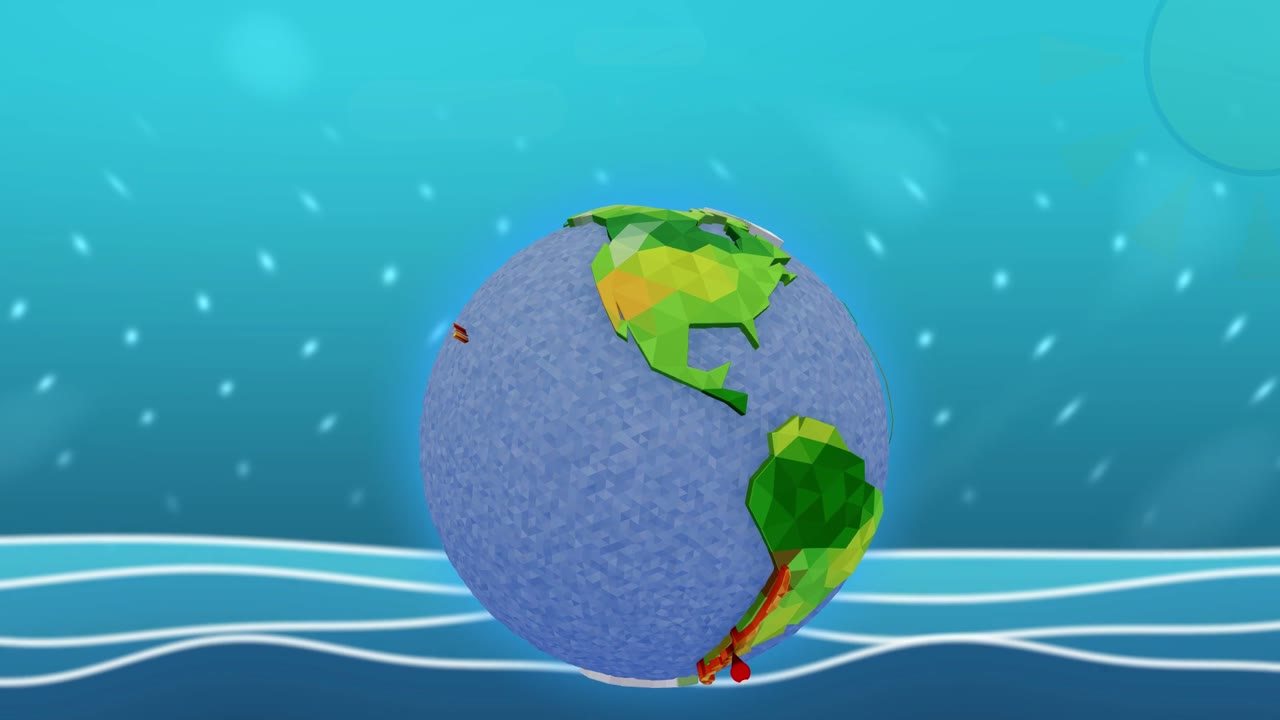
three.js, as usual, to explain it: a low-poly Earth with a WebGL shader for the sea that affects only the Pacific. Modeled with Blender MCP, using Claude Code from inside the pipeline node.

07

Assembly and tuning

HyperFrames puts the voice, the cat clips, the 3D world and the titles on one timeline, and I tune each take.

08

Render

One click renders the final video.

The generated base image: the cat professor on a green screen
Step 01 · the base image on a green screen.
The same cat with the green keyed out, on a transparency grid
Step 05 · the green keyed out.
The low-poly 3D Earth with the animated sea
Step 06 · the 3D world, with the sea shader.

Out of my own pocket, on purpose

Although these experiments come out of my own pocket, a few dollars a week, I am happy to pay for them: it is how I learn, and how my daughter learns how AI and tech really work. She helps me with the ideas and the creative side of future episodes.

Watch it, follow it

The video shows how I built it, step by step, with the whole episode at the end. The Instagram channel is where the next episodes live.

Built with Claude Code, Claude and HyperFrames. The idea, the taste and every decision are mine; the code, the pictures, the voices and the videos were produced together with the AI tools.