L.A.U.R.A. Math Quest

LearnAddUnlockReachAchieve

An iPad app that turns times tables, division, addition and subtraction into 32 playful 3D games. I built it in a weekend, as an exploration: how far can one person, pairing with an AI coding agent, get from a blank page to an App Store–ready product — design, 3D, music, QA and store assets included?

status
live on the App Store (iPad)
platform
iPad · iOS 17+ · works offline
stack
TypeScript · Three.js · GSAP · SwiftUI
built with
Claude Code · Lyria · Nano Banana
languages
EN · NL · ES · FR
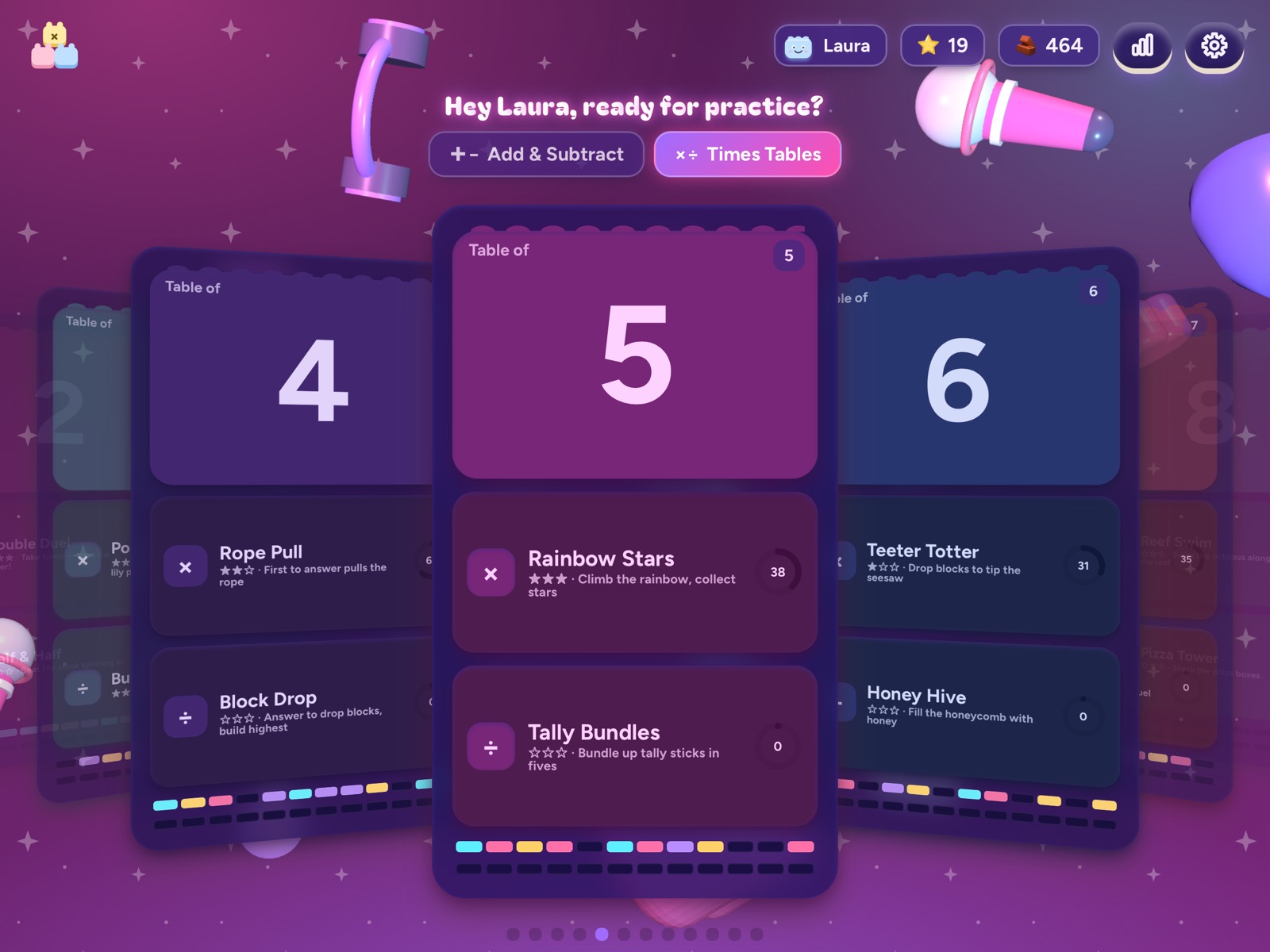
L.A.U.R.A. Math Quest home screen in the K-Star Stage theme
32games, one for every table and level
3visual themes from one codebase
4languages
0network requests — everything stays on the iPad
~2days from first commit to an uploaded build
8klines of TypeScript and CSS in 55 modules
38audio loops generated with Lyria
96automated test runs (32 games × 3 themes)

Three themes from one codebase

The same 32 games, restyled end to end: palette, fonts, 3D materials, floating props and wording. Setup lets the child pick one — and it can be changed later in Settings.

🧸

Little Builders

Soft pastel toy blocks. The original look, for the youngest players.

🎖️

Cadet Squad

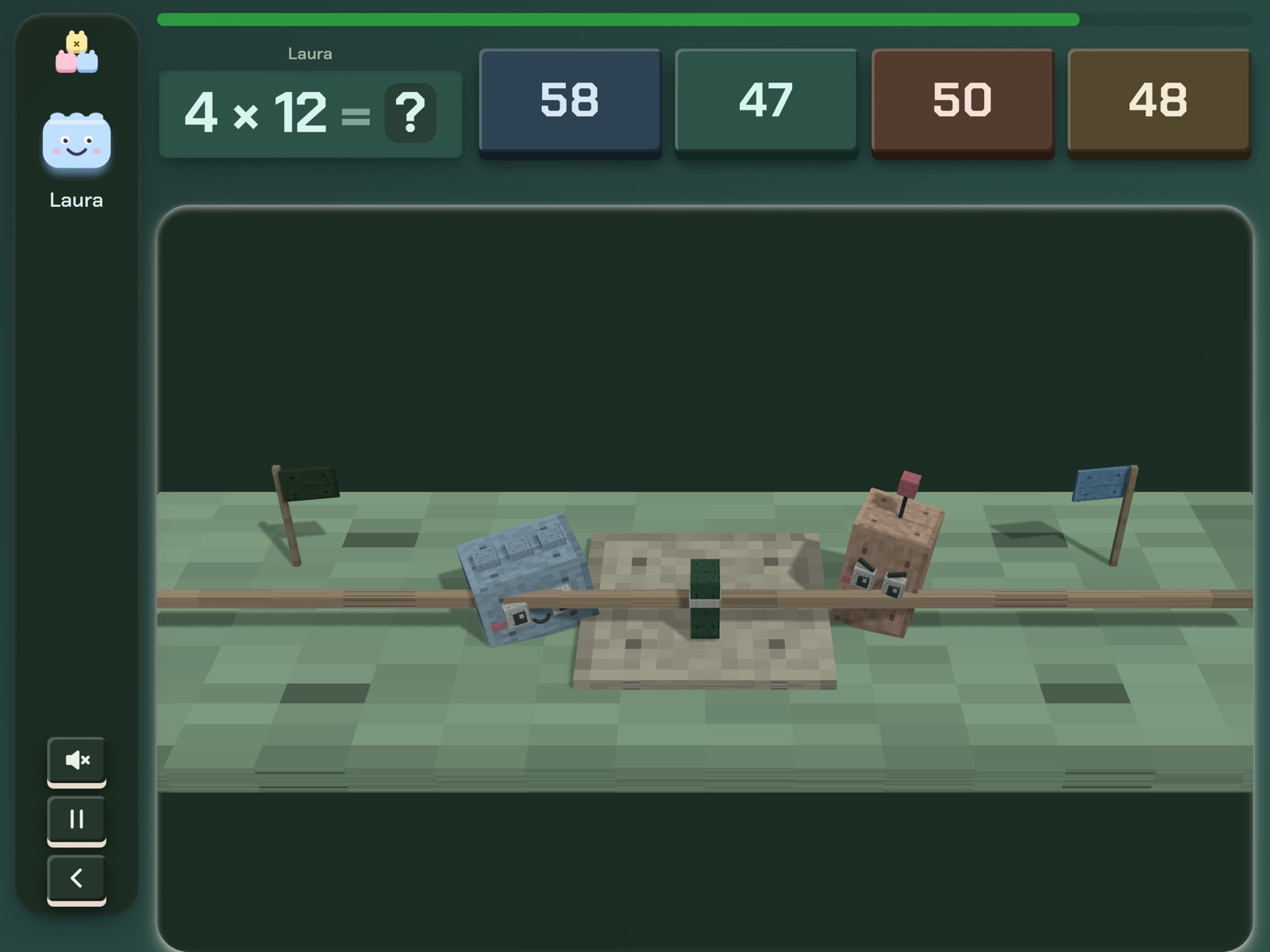
Dark army green, stencil type and Minecraft-style cubes, with planets and spaceships drifting behind.

💜

K-Star Stage

A K-pop concert night: neon violet and pink, holographic cards, glossy candy 3D and food, mics and headphones in the air.

Cadet Squad: the same tug-of-war game rebuilt from voxel cubes in a dark mission palette.
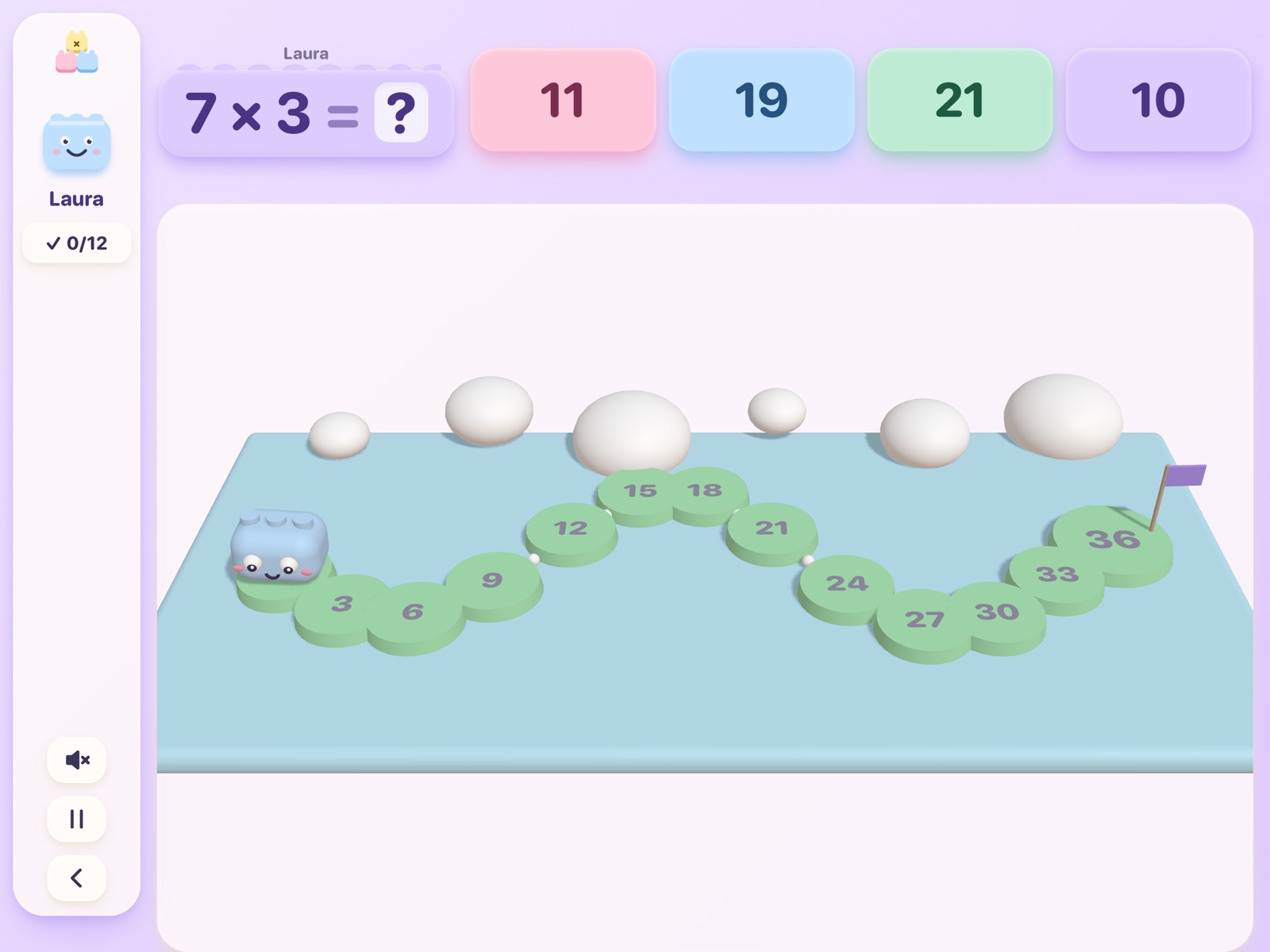
Little Builders: the original soft toy-block look — a frog hopping a times-table path.
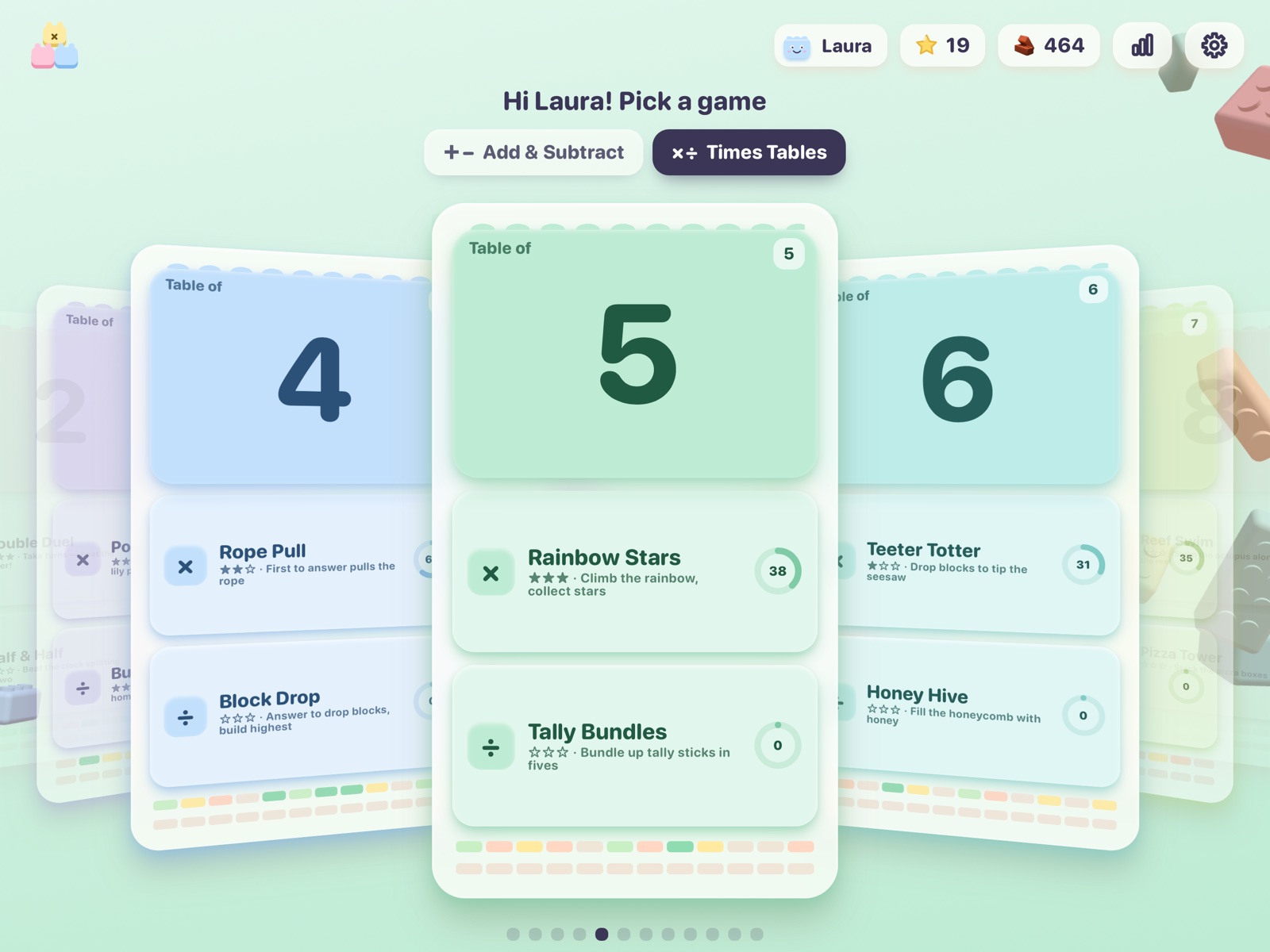
Home: one carousel of cards per table, with live mastery bars.
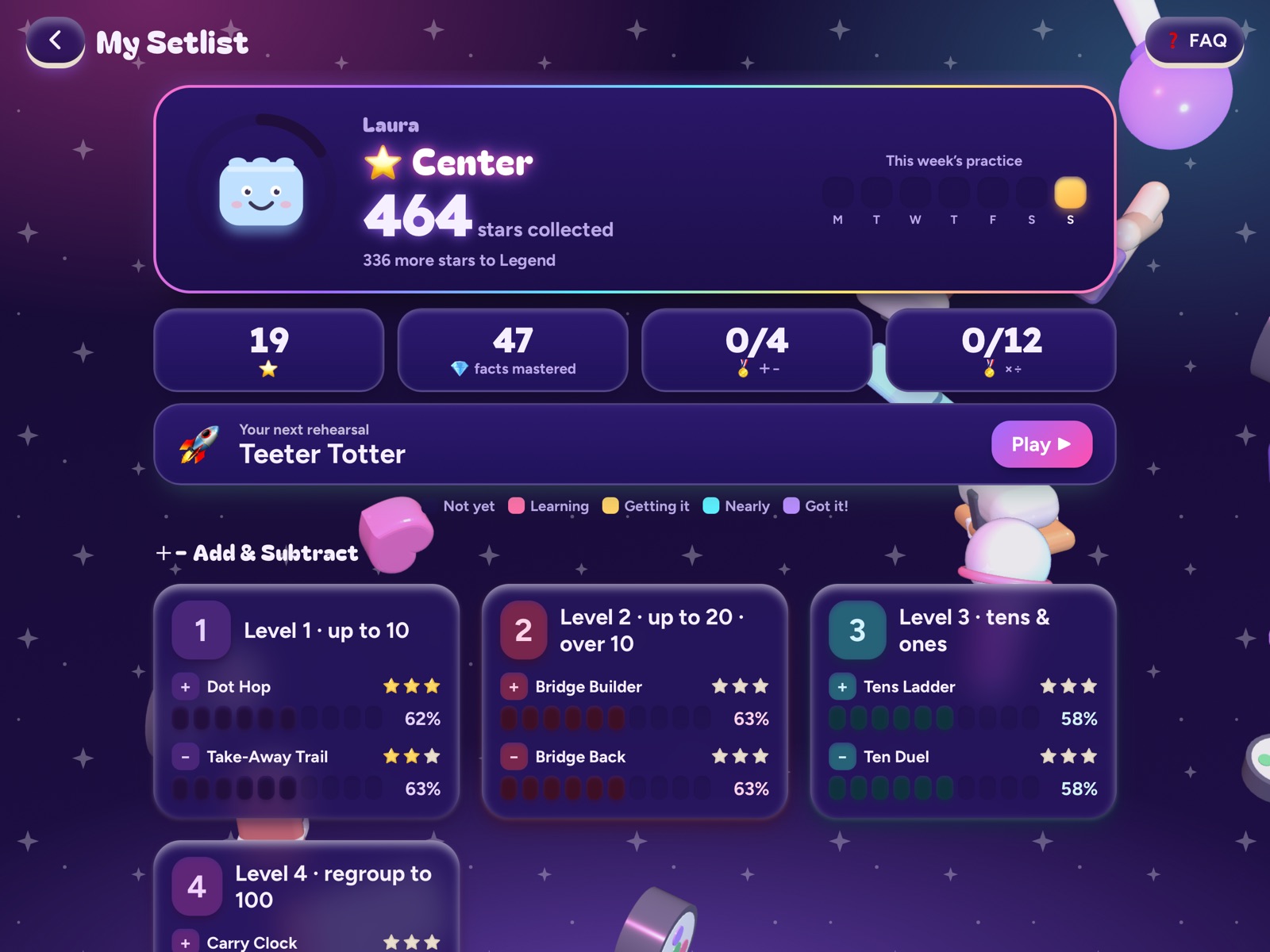
My Brain Blocks: mastery for every fact, ranks and a suggested next game.
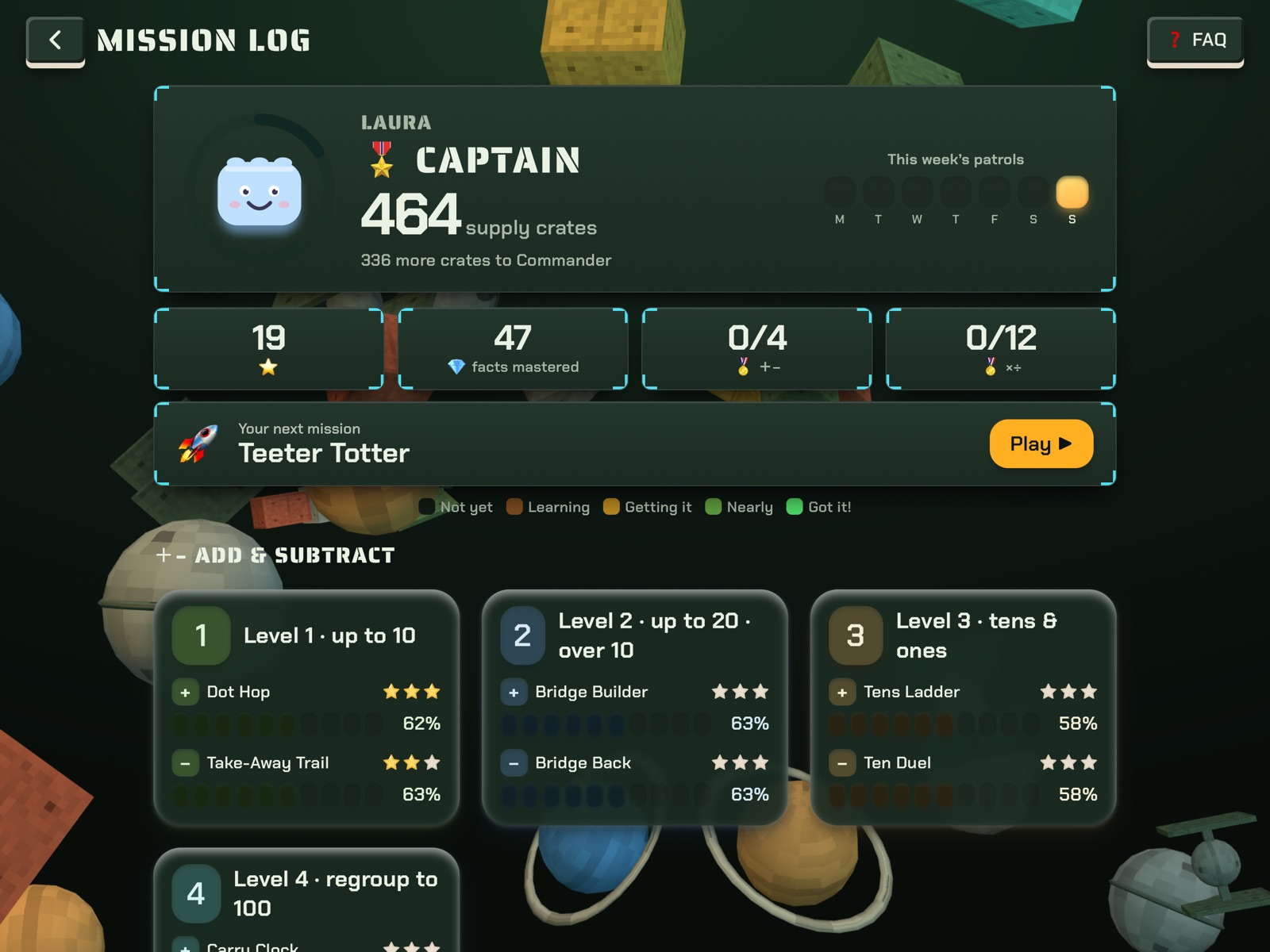
The same progress screen, reworded as a mission log.

Built in a weekend, shipped on Monday

The timeline below comes straight from the git history. The work was done in pairs with Claude Code, one session after another, with me deciding what stays.

Sat 24 Oct · afternoon

From a printed list of 22 games to my own engine

Starting point: a list of 22 times-table browser mini-games. I kept the learning ideas, not their code or art. Five reusable stage types — run, blitz, tug, tower and duel — in TypeScript, Three.js and GSAP, wrapped in a SwiftUI shell that works fully offline. First commit: 50 files.

Sat night → Sun 00:23

Levels, avatars, four languages

Add and subtract levels, an avatar maker, EN/NL/ES/FR, tilt parallax from the iPad motion sensors, a profile with country, saved progress with a native backup file — and the first version of a Daily Problem. 60 files changed.

Sunday · daytime

The Daily Problem arc

Story problems written by Gemini, a 3D scene per problem, a Mario-Kart-style intro, read-aloud, a premium paywall, and finally AI-illustrated scenes. Built, redesigned twice from screenshots, then deliberately parked — the full story is below.

Sun 20:28

The pivot: themes and music

I parked the Daily Problem and the two-player mode behind feature flags to focus on subtraction and times tables. In their place: a theme engine (Cadet Squad, K-Star Stage), per-theme 3D backdrops, a music loop for every game and a round of three.js optimisation. 178 files changed.

Sun 21:10 – 21:22

Release prep

Debug tools stripped from release builds, privacy manifest, launch screen, version 1.0.0, a four-language store listing, privacy and support pages, and iPad 13" screenshots captured from the simulator.

Mon 26 Oct

QA, rename, upload

Automated playthroughs of all 32 games in three themes, one real bug found and fixed, a rename to L.A.U.R.A. Math Quest, an export-compliance flag, then archive and upload. The app is now live on the App Store.

The first build, from Saturday night

What survived: the block-world 3D language and the five stage types. What changed: everything around them — themes, wording, audio, props and the whole release surface.

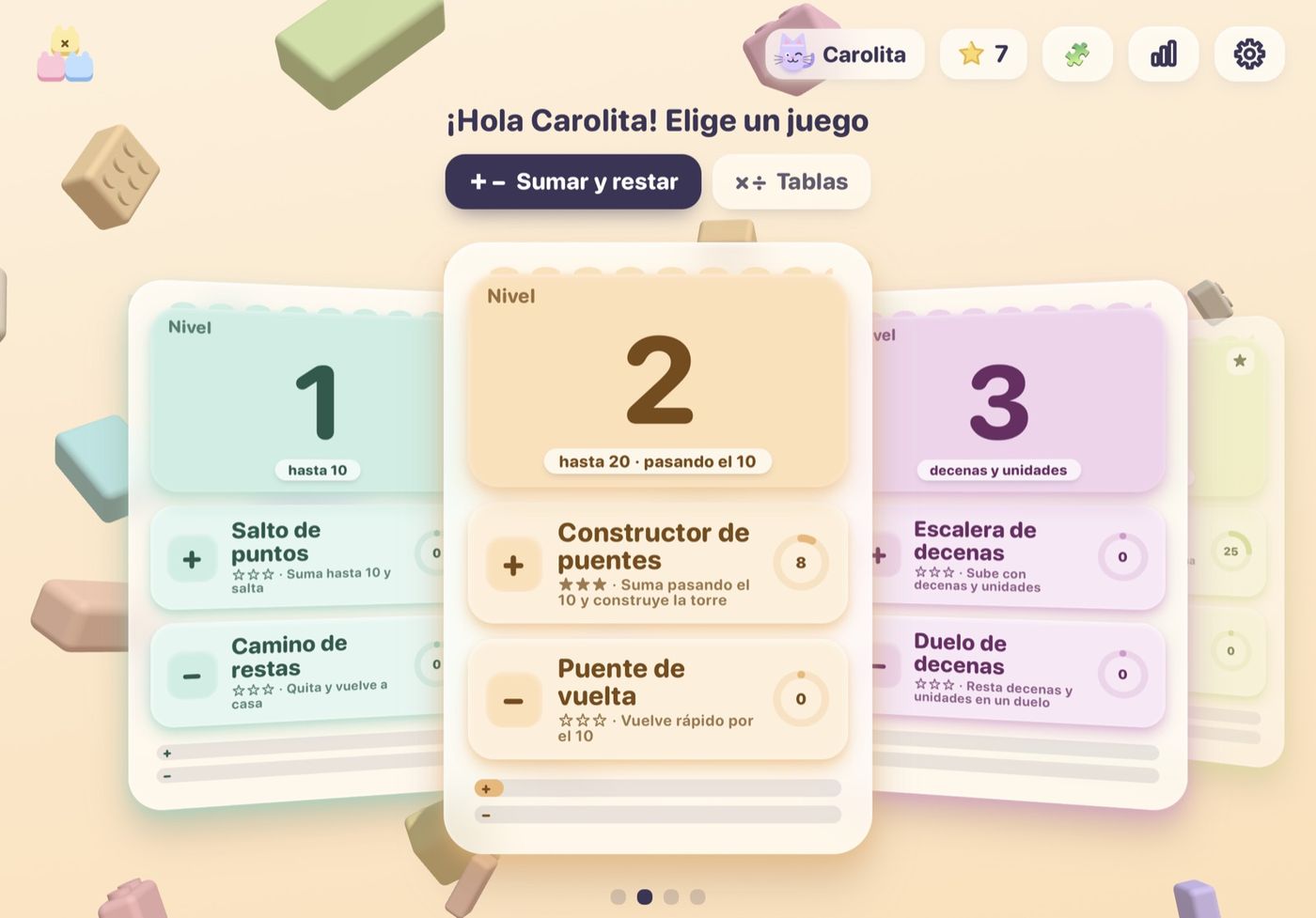
Saturday night: the first home screen. Spanish UI, level cards, the original soft toy-block look and a cat avatar.
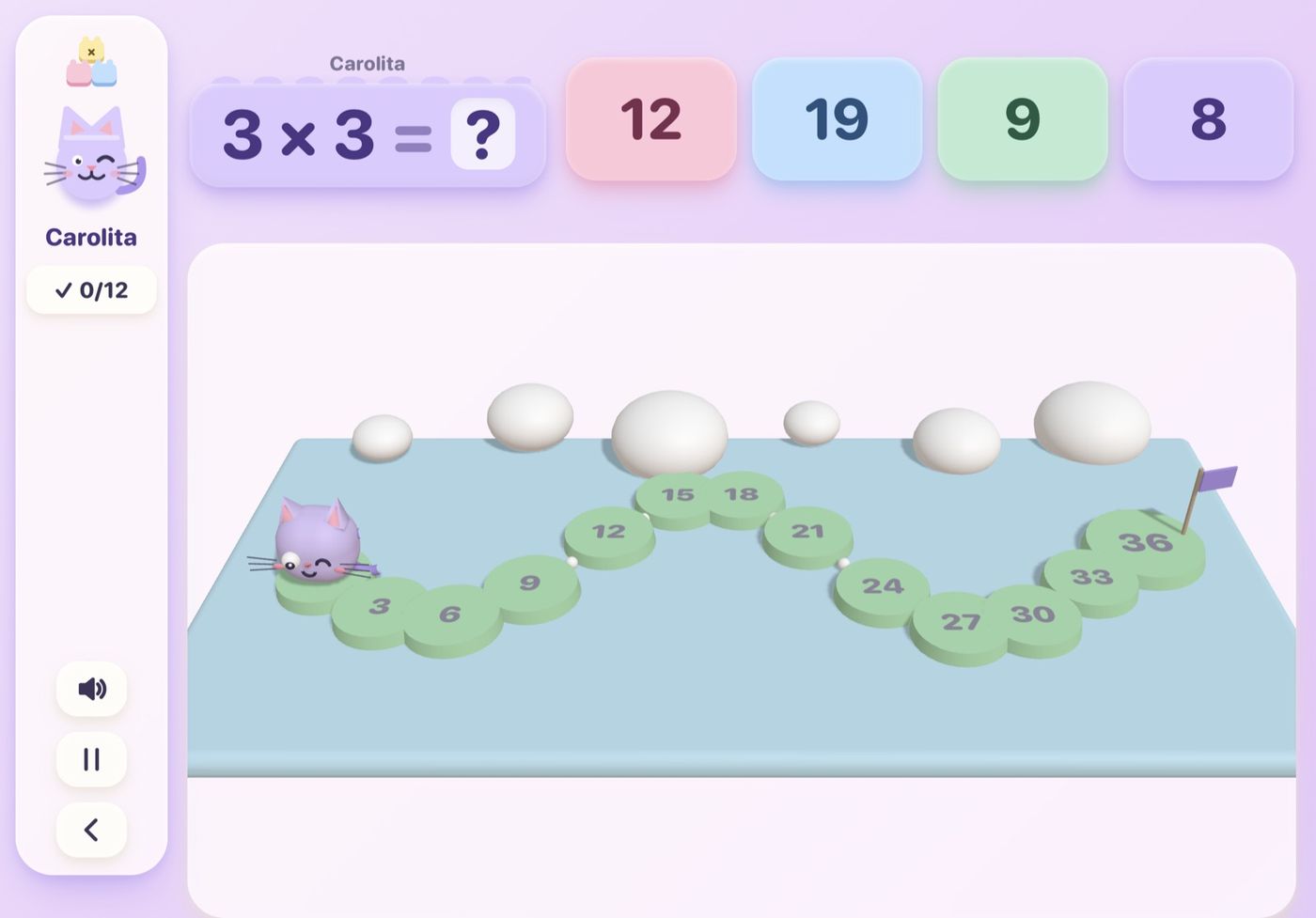
The first 3D game: a lily-pad path built from primitives. This stage type survived untouched into the final app.
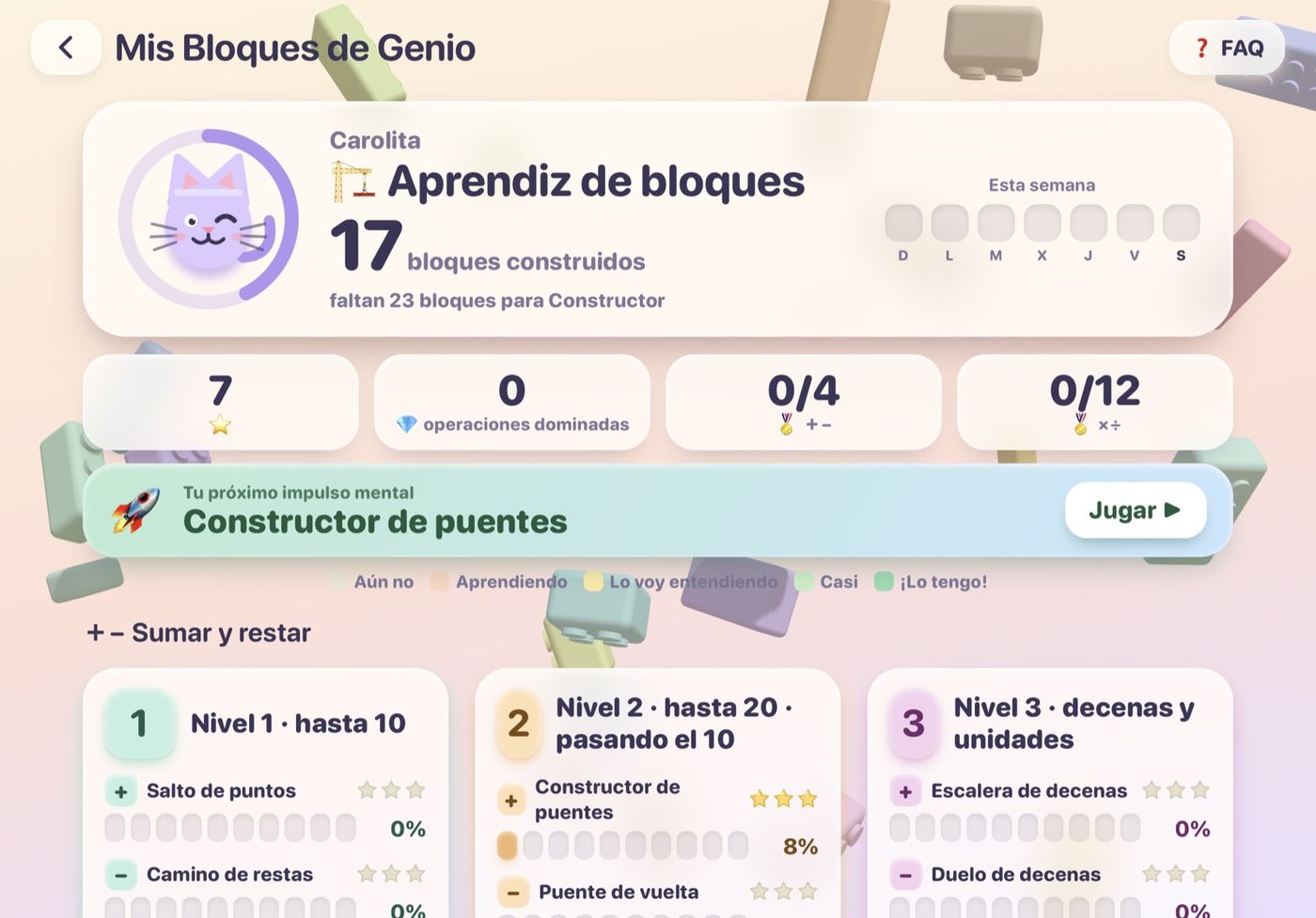
The first "brain blocks" progress screen. It kept its logic; later themes re-skinned and re-worded it.

The Daily Problem: four iterations, then a scope decision

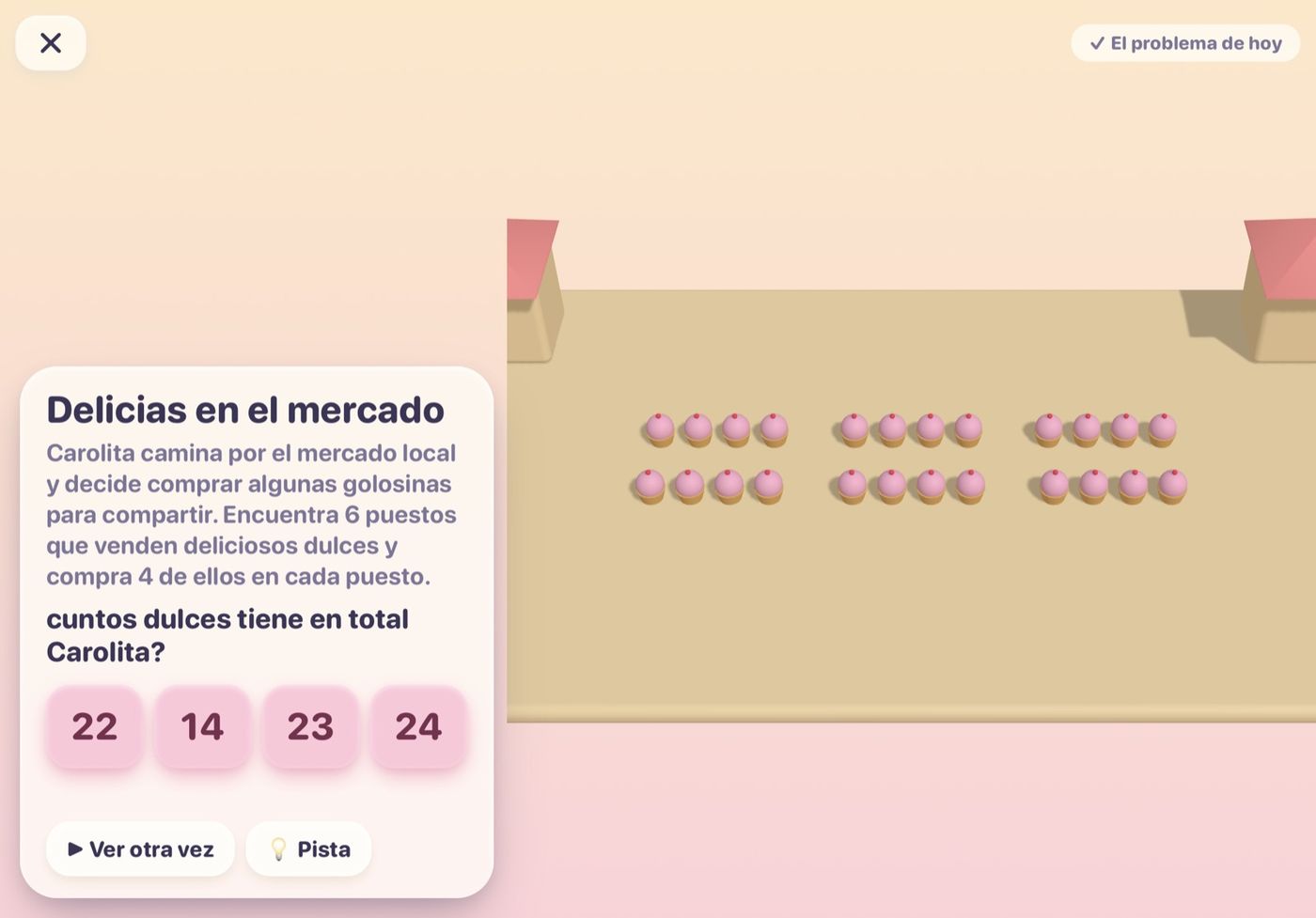
A daily story problem with its own 3D scene, a countdown, a streak and a premium tier. I iterated on it from screenshots taken on the real iPad.

v1 · first build
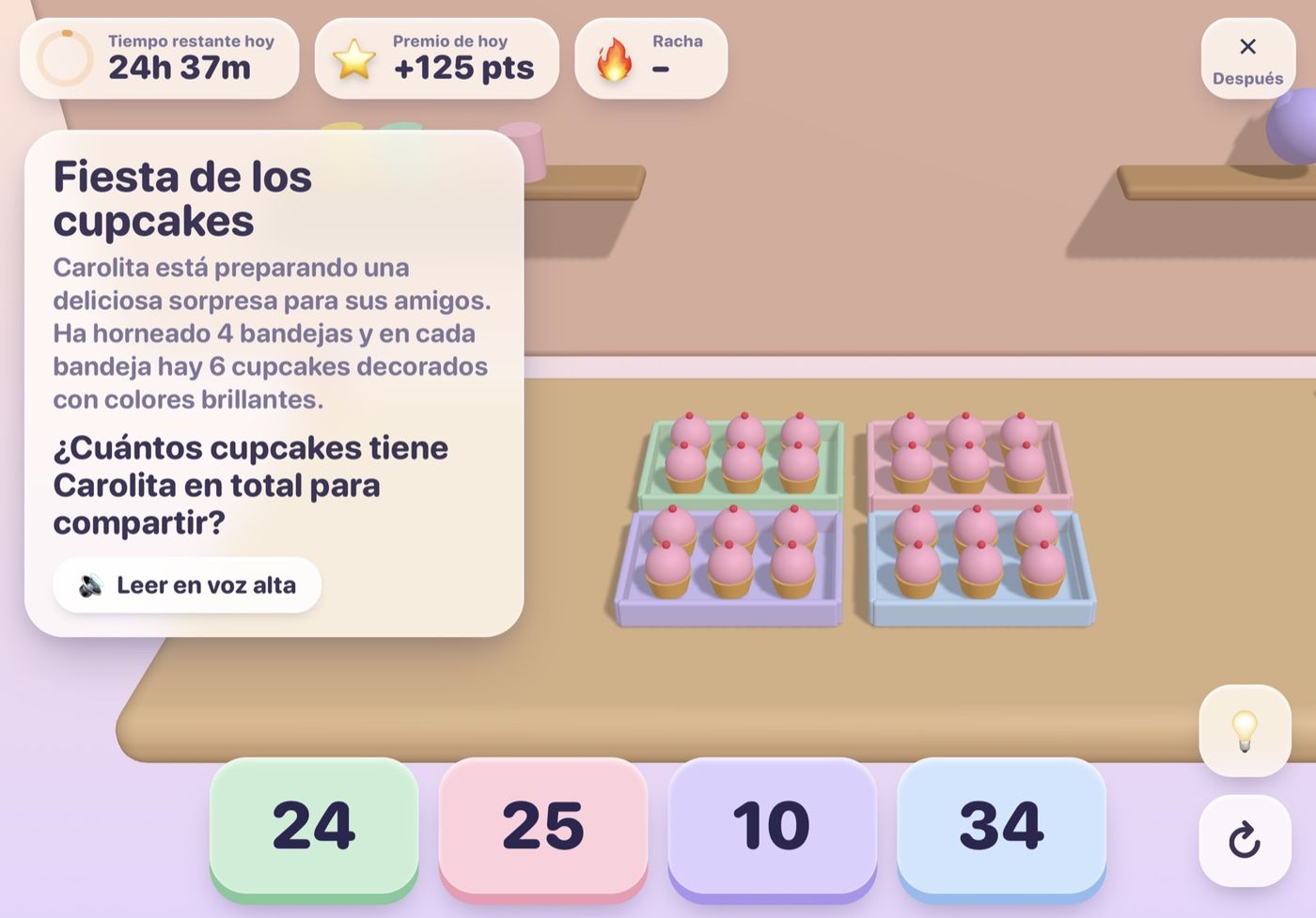
v1 · first buildStory text, four flat trays of cupcakes, no hierarchy. It worked, but nothing told a child where to look first.
v2 · AI redesign
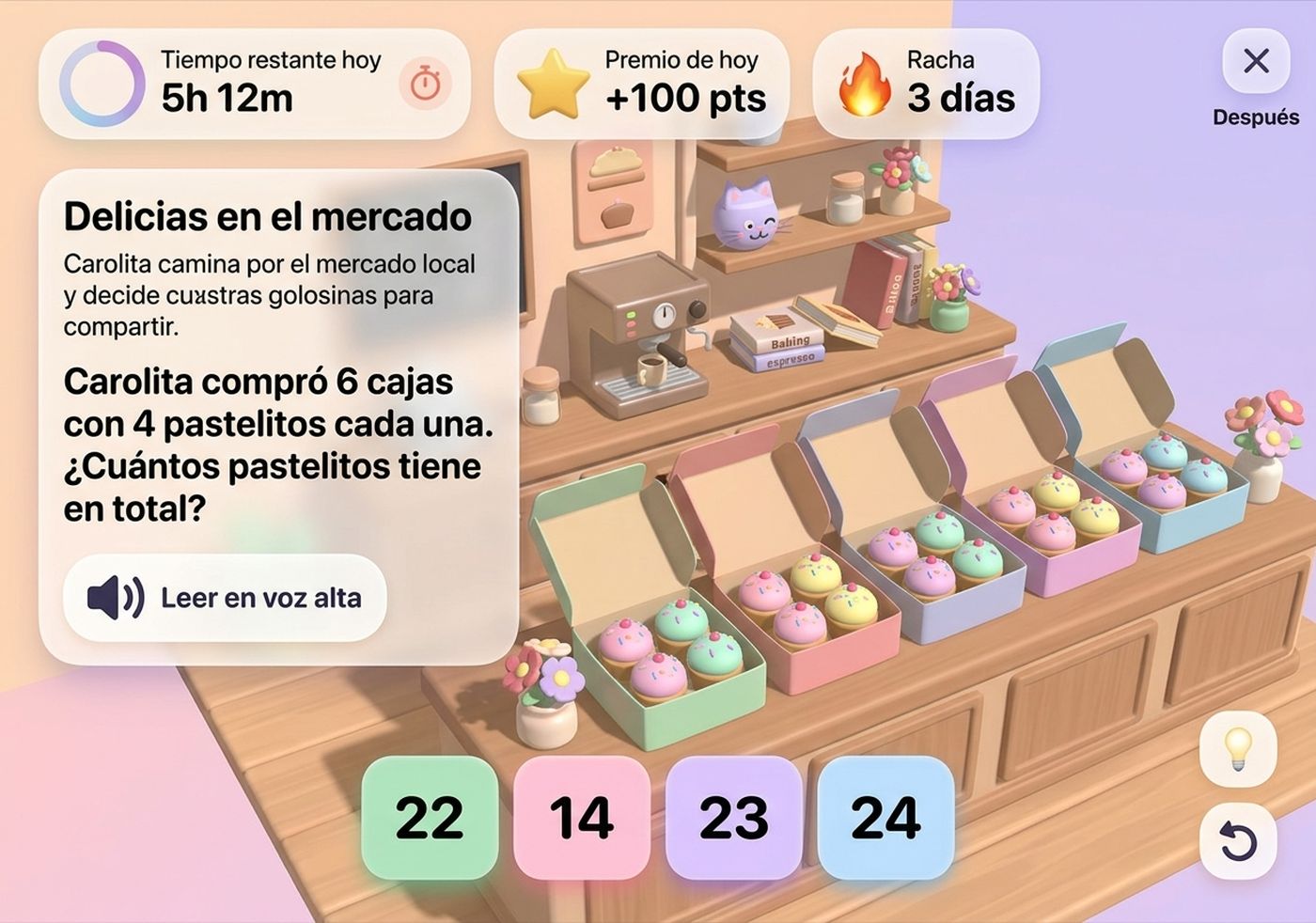
v2 · AI redesignI sent a screenshot to Nano Banana and asked it to redesign the screen for a children's learning app. Its mockup became the layout brief: timer, prize and streak on top, story on the left, answers as big tiles.
v3 · built from the mockup
v3 · built from the mockupThe same structure in real 3D with a 3D shelf scene, read-aloud button, hint and replay. Closer, but still not enough hierarchy.
v4 · the hierarchy pass
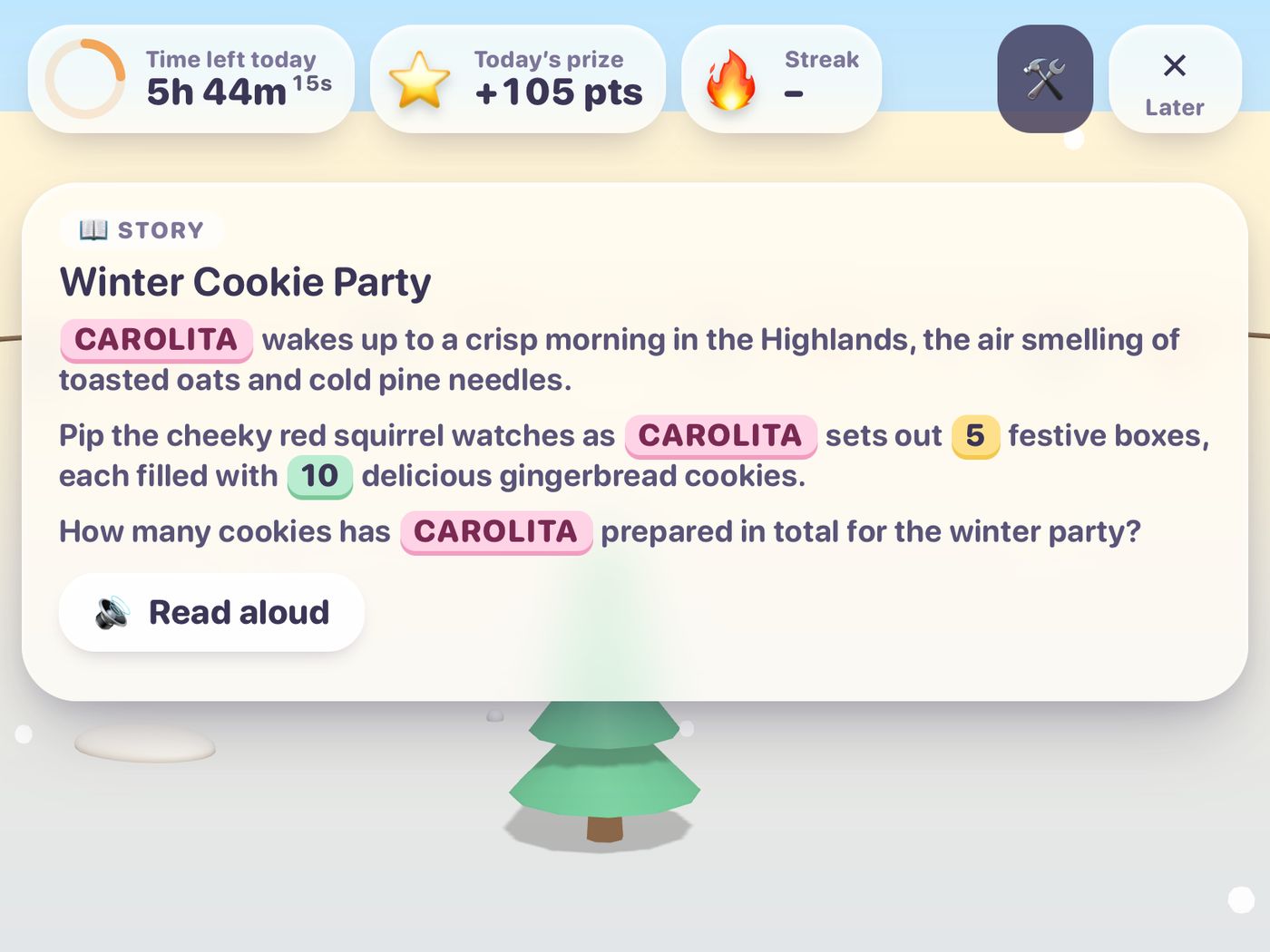
v4 · the hierarchy passDesigned like a teaching tool: a labelled story card, the child's name highlighted, numbers colour-coded, the question separated from the story, distractor answers made deliberately similar.

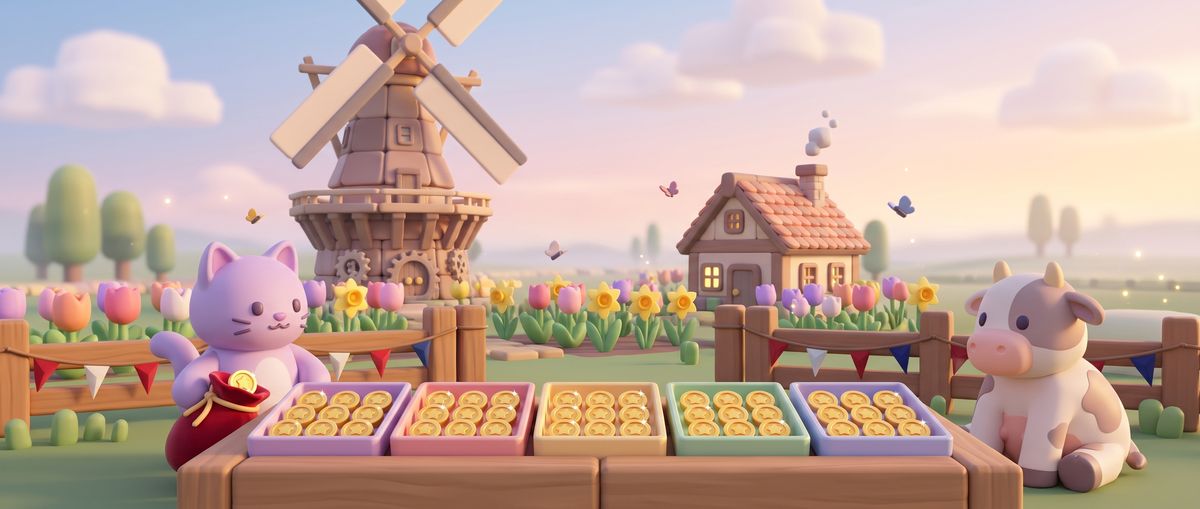
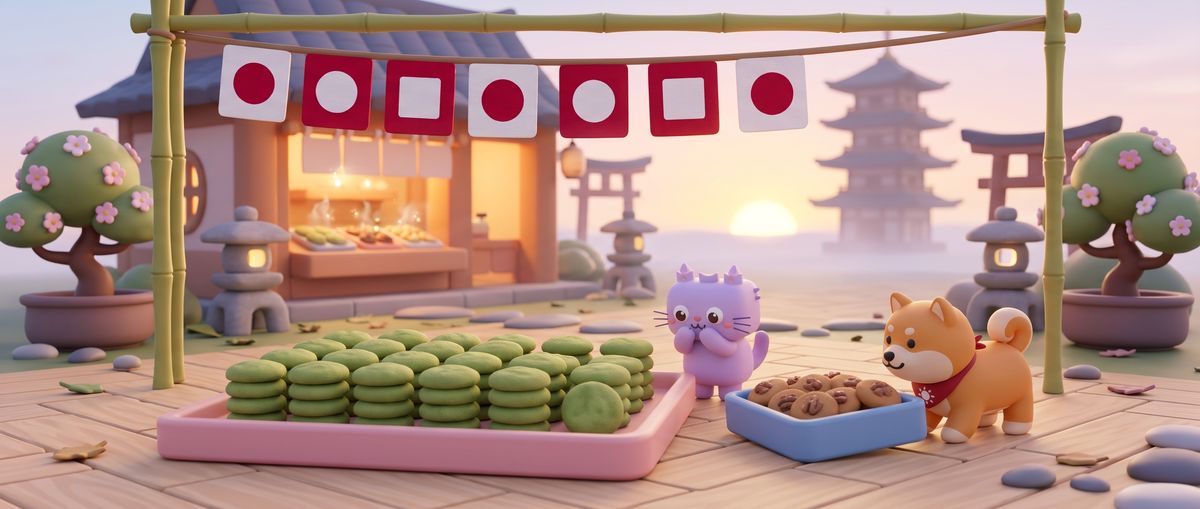
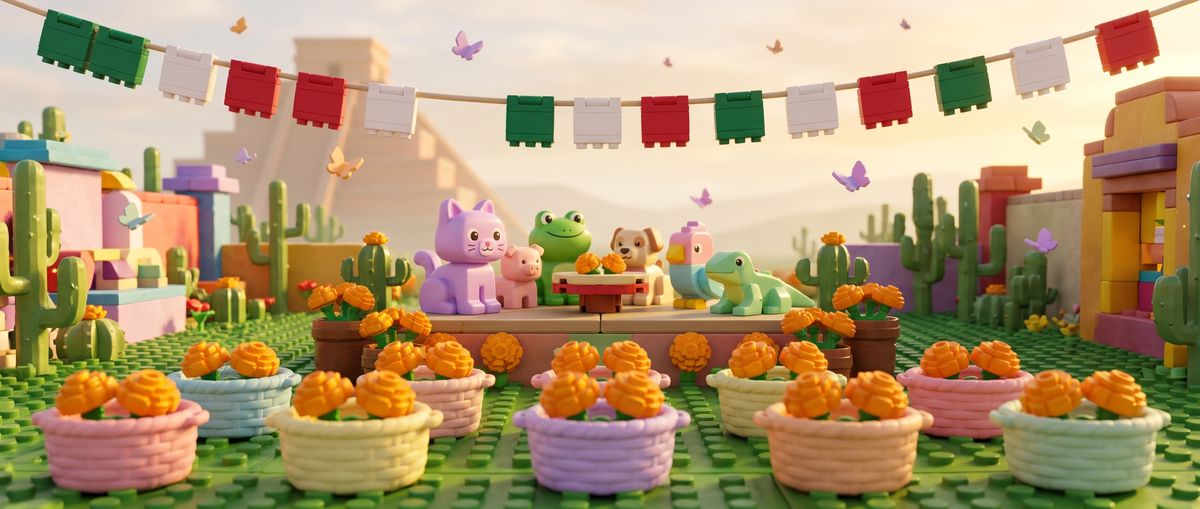
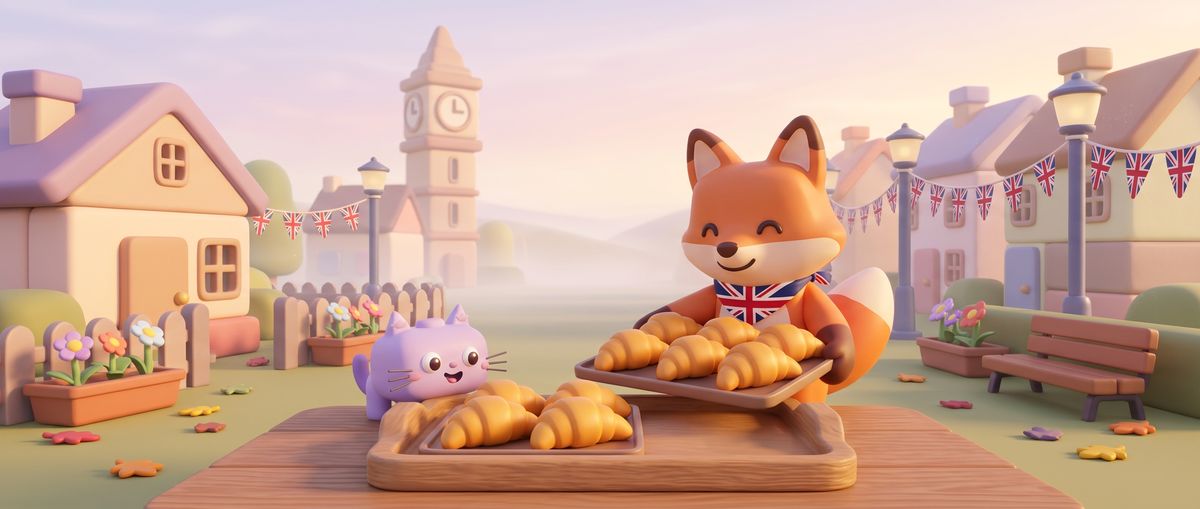
Then the 3D scene per problem was replaced by a library of 24 AI-illustrated 21:9 scenes, one per country, with a slow looping pan — richer for far less code. A few of them:

Netherlands · coin quest
Japan · bakery morning
Mexico · garden party
UK · village bakery
UK · village bakery

The scope decision: with a weekend on the clock, the Daily Problem needs a server to keep the AI key private, plus subscriptions and a parental gate. I wrote the backend plan, hid the feature behind a flag, and spent the time on the core: subtraction and times tables. Cutting it was the best call of the weekend.

What broke, and what it taught me

A temporal dead zone

The Daily Problem intro used a timeline before it was declared. It crashed only on the very first load — the kind of bug a quick manual test never hits twice.

Rotating the wrong object

Rotations were applied to groups instead of meshes, so props orbited the wrong pivot. Fixed by building each prop around its own origin.

An empty AI answer

Gemini sometimes returned an empty candidate. The app now validates every generated problem and falls back to a bundled, human-checked library instead of showing a blank screen.

The stale server

The iPad kept showing old problems because of caching. "Regenerate" now bypasses every cache, and a debug panel shows the exact prompt and answer.

Dark theme, light leftovers

Selected pills became unreadable, the avatar turned near-black and answer buttons stayed pastel because colours were computed at load. Fix: resolve colours at use and freeze a separate avatar palette.

Washed-out 3D

Glossy materials plus bright lights burned out the candy palette. I tuned the lights and added a per-theme tint, then checked every change against screenshots.

Text nobody could read

A row of dark-green text on a purple panel only showed up when reviewing 32 screenshots side by side. Contrast is now themed per surface.

A real bug found by QA

Game stages could be torn down twice, logging a WebGL "context already lost" warning. Caught by the automated runs; disposal is now idempotent.

My own test harness

Parallel software-rendered pages starved the CPU and made healthy games look stuck. Moving headless Chrome onto the GPU fixed it — and some "stuck" bot games were just waiting for a child to tap "Got it".

A mistake worth admitting

When a device build timed out, a chained command kept going and installed an old build on my iPad. The fix was boring and important: check every exit code before the next step.
Me and the AI, honestly

What I did

  • The idea, the taste and every "no": parking two features, the three visual directions, the name and the Kids Category target.
  • Testing on the real iPad and judging every screenshot as a parent would.
  • Approving every commit, every install and every publish.

What Claude Code did

  • Wrote and refactored the TypeScript, Three.js and SwiftUI code, and kept the app building at every step.
  • Ran research agents on what 11-year-olds like, then turned the findings into two themes.
  • Generated 38 audio loops and 24 illustrated scenes through the Lyria and Nano Banana APIs.
  • Built the automated QA, the release checklist and the store copy in four languages.

Product decisions

What the app should be, and what it must never do.

01

One game system, many skins. 32 games come from five stage types — run, blitz, tug, tower and duel — all built from blocks. A theme registry restyles colours, fonts, 3D materials, backdrop props and even the wording, so a new look is data plus a CSS block, not a rewrite.

02

Learning first. Accuracy comes before speed; every fact has its own mastery level, tables unlock gradually, and a wrong answer opens a small visual helper instead of a penalty.

03

Private by design. No accounts, ads, analytics or network requests. Progress lives on the device, with a privacy manifest and a Kids Category target.

04

Themes were researched, not guessed. Before drawing anything I asked for research on what 11-year-olds actually respond to, then turned the findings into a military-cubes theme and a K-pop idol theme.

How it was built

An AI-assisted pipeline, from first line of code to store submission.

01

Pair-programmed with Claude Code. I set direction and taste; the agent wrote and refactored the TypeScript, Three.js and SwiftUI code, and prepared the store assets.

02

Generative content. Thirty-two music loops generated with Google Lyria and cross-faded per game; illustrated problem art with Nano Banana, kept for a later release.

03

3D from primitives. Every prop — frogs, sushi, planets, mics — is assembled from Three.js primitives, with no model files. Shared geometry, merged meshes and render-on-visible keep it smooth on an iPad.

04

Automated QA. Headless Chrome played every game to its result screen in all three themes, ran onboarding, settings and language switching in 12 combinations, and checked that a production build makes zero network requests.

05

Ship prep. Four-language store listing, privacy and support pages, iPad 13" screenshots from the simulator and a Release archive ready for App Store Connect.

Where it stands

The app is live on the App Store for iPad, and the game also has its own website, www.juegalaura.cl, where it can be played in a browser. The privacy policy and support page are live too, and a small update with the animated L.A.U.R.A. opening is on its way.

Built with Claude Code, Google Lyria and Nano Banana. Product direction, taste and every decision are mine; the code, the sounds and the pictures were produced together with the AI tools.